作者:CSDN博客
1、安装Docker
合集:Docker安装与使用
2、安装OpenClaw
- 详见:https://docs.openclaw.ai/zh-CN/install/docker
- 详见:https://github.com/openclaw/openclaw/blob/main/docker-compose.yml
- # 方式1:
- wget https://raw.githubusercontent.com/openclaw/openclaw/main/docker-compose.yml
- # 方式2:使用代理下载
- # 详见:https://mp.weixin.qq.com/s/XTbT3wKp_W2fiK7pGpo7Qg
- wget https://gh-proxy.com/https://raw.githubusercontent.com/openclaw/openclaw/main/docker-compose.yml
- services:
- openclaw-gateway:
- image: ${OPENCLAW_IMAGE:-openclaw:local}
- environment:
- HOME: /home/node
- TERM: xterm-256color
- OPENCLAW_GATEWAY_TOKEN: ${OPENCLAW_GATEWAY_TOKEN:-}
- OPENCLAW_ALLOW_INSECURE_PRIVATE_WS: ${OPENCLAW_ALLOW_INSECURE_PRIVATE_WS:-}
- CLAUDE_AI_SESSION_KEY: ${CLAUDE_AI_SESSION_KEY:-}
- CLAUDE_WEB_SESSION_KEY: ${CLAUDE_WEB_SESSION_KEY:-}
- CLAUDE_WEB_COOKIE: ${CLAUDE_WEB_COOKIE:-}
- volumes:
- - ${OPENCLAW_CONFIG_DIR}:/home/node/.openclaw
- - ${OPENCLAW_WORKSPACE_DIR}:/home/node/.openclaw/workspace
- ## Uncomment the lines below to enable sandbox isolation
- ## (agents.defaults.sandbox). Requires Docker CLI in the image
- ## (build with --build-arg OPENCLAW_INSTALL_DOCKER_CLI=1) or use
- ## docker-setup.sh with OPENCLAW_SANDBOX=1 for automated setup.
- ## Set DOCKER_GID to the host's docker group GID (run: stat -c '%g' /var/run/docker.sock).
- # - /var/run/docker.sock:/var/run/docker.sock
- # group_add:
- # - "${DOCKER_GID:-999}"
- ports:
- - "${OPENCLAW_GATEWAY_PORT:-18789}:18789"
- - "${OPENCLAW_BRIDGE_PORT:-18790}:18790"
- init: true
- restart: unless-stopped
- command:
- [
- "node",
- "dist/index.js",
- "gateway",
- "--bind",
- "${OPENCLAW_GATEWAY_BIND:-lan}",
- "--port",
- "18789",
- ]
- healthcheck:
- test:
- [
- "CMD",
- "node",
- "-e",
- "fetch('http://127.0.0.1:18789/healthz').then((r)=>process.exit(r.ok?0:1)).catch(()=>process.exit(1))",
- ]
- interval: 30s
- timeout: 5s
- retries: 5
- start_period: 20s
- openclaw-cli:
- image: ${OPENCLAW_IMAGE:-openclaw:local}
- network_mode: "service:openclaw-gateway"
- cap_drop:
- - NET_RAW
- - NET_ADMIN
- security_opt:
- - no-new-privileges:true
- environment:
- HOME: /home/node
- TERM: xterm-256color
- OPENCLAW_GATEWAY_TOKEN: ${OPENCLAW_GATEWAY_TOKEN:-}
- OPENCLAW_ALLOW_INSECURE_PRIVATE_WS: ${OPENCLAW_ALLOW_INSECURE_PRIVATE_WS:-}
- BROWSER: echo
- CLAUDE_AI_SESSION_KEY: ${CLAUDE_AI_SESSION_KEY:-}
- CLAUDE_WEB_SESSION_KEY: ${CLAUDE_WEB_SESSION_KEY:-}
- CLAUDE_WEB_COOKIE: ${CLAUDE_WEB_COOKIE:-}
- volumes:
- - ${OPENCLAW_CONFIG_DIR}:/home/node/.openclaw
- - ${OPENCLAW_WORKSPACE_DIR}:/home/node/.openclaw/workspace
- stdin_open: true
- tty: true
- init: true
- entrypoint: ["node", "dist/index.js"]
- depends_on:
- - openclaw-gateway
- 详见:https://github.com/openclaw/openclaw/blob/main/.env.example
- # 方式1:
- wget https://raw.githubusercontent.com/openclaw/openclaw/main/.env.example
- # 方式2:使用代理下载
- # 详见:https://mp.weixin.qq.com/s/XTbT3wKp_W2fiK7pGpo7Qg
- wget https://gh-proxy.com/https://raw.githubusercontent.com/openclaw/openclaw/main/.env.example
- # OpenClaw .env example
- #
- # Quick start:
- # 1) Copy this file to `.env` (for local runs from this repo), OR to `~/.openclaw/.env` (for launchd/systemd daemons).
- # 2) Fill only the values you use.
- # 3) Keep real secrets out of git.
- #
- # Env-source precedence for environment variables (highest -> lowest):
- # process env, ./.env, ~/.openclaw/.env, then openclaw.json `env` block.
- # Existing non-empty process env vars are not overridden by dotenv/config env loading.
- # Note: direct config keys (for example `gateway.auth.token` or channel tokens in openclaw.json)
- # are resolved separately from env loading and often take precedence over env fallbacks.
- # -----------------------------------------------------------------------------
- # Gateway auth + paths
- # -----------------------------------------------------------------------------
- # Recommended if the gateway binds beyond loopback.
- OPENCLAW_GATEWAY_TOKEN=change-me-to-a-long-random-token
- # Example generator: openssl rand -hex 32
- # Optional alternative auth mode (use token OR password).
- # OPENCLAW_GATEWAY_PASSWORD=change-me-to-a-strong-password
- # Optional path overrides (defaults shown for reference).
- # OPENCLAW_STATE_DIR=~/.openclaw
- # OPENCLAW_CONFIG_PATH=~/.openclaw/openclaw.json
- # OPENCLAW_HOME=~
- # Optional: import missing keys from your login shell profile.
- # OPENCLAW_LOAD_SHELL_ENV=1
- # OPENCLAW_SHELL_ENV_TIMEOUT_MS=15000
- # -----------------------------------------------------------------------------
- # Model provider API keys (set at least one)
- # -----------------------------------------------------------------------------
- # OPENAI_API_KEY=sk-...
- # ANTHROPIC_API_KEY=sk-ant-...
- # GEMINI_API_KEY=...
- # OPENROUTER_API_KEY=sk-or-...
- # OPENCLAW_LIVE_OPENAI_KEY=sk-...
- # OPENCLAW_LIVE_ANTHROPIC_KEY=sk-ant-...
- # OPENCLAW_LIVE_GEMINI_KEY=...
- # OPENAI_API_KEY_1=...
- # ANTHROPIC_API_KEY_1=...
- # GEMINI_API_KEY_1=...
- # GOOGLE_API_KEY=...
- # OPENAI_API_KEYS=sk-1,sk-2
- # ANTHROPIC_API_KEYS=sk-ant-1,sk-ant-2
- # GEMINI_API_KEYS=key-1,key-2
- # Optional additional providers
- # ZAI_API_KEY=...
- # AI_GATEWAY_API_KEY=...
- # MINIMAX_API_KEY=...
- # SYNTHETIC_API_KEY=...
- # -----------------------------------------------------------------------------
- # Channels (only set what you enable)
- # -----------------------------------------------------------------------------
- # TELEGRAM_BOT_TOKEN=123456:ABCDEF...
- # DISCORD_BOT_TOKEN=...
- # SLACK_BOT_TOKEN=xoxb-...
- # SLACK_APP_TOKEN=xapp-...
- # Optional channel env fallbacks
- # MATTERMOST_BOT_TOKEN=...
- # MATTERMOST_URL=https://chat.example.com
- # ZALO_BOT_TOKEN=...
- # OPENCLAW_TWITCH_ACCESS_TOKEN=oauth:...
- # -----------------------------------------------------------------------------
- # Tools + voice/media (optional)
- # -----------------------------------------------------------------------------
- # BRAVE_API_KEY=...
- # PERPLEXITY_API_KEY=pplx-...
- # FIRECRAWL_API_KEY=...
- # ELEVENLABS_API_KEY=...
- # XI_API_KEY=... # alias for ElevenLabs
- # DEEPGRAM_API_KEY=...
- # 修改token/令牌:
- sed -i "s/OPENCLAW_GATEWAY_TOKEN=change-me-to-a-long-random-token/OPENCLAW_GATEWAY_TOKEN=$(openssl rand -hex 32)/g" .env
- # 修改配置文件所在目录:
- echo "" >> .env
- echo "OPENCLAW_CONFIG_DIR=./config" >> .env
- echo "OPENCLAW_WORKSPACE_DIR=./config/workspace" >> .env
- # 修改镜像:
- echo "" >> .env
- echo "OPENCLAW_IMAGE=ghcr.nju.edu.cn/openclaw/openclaw:latest" >> .env
- cat .env | grep OPENCLAW_GATEWAY_TOKEN
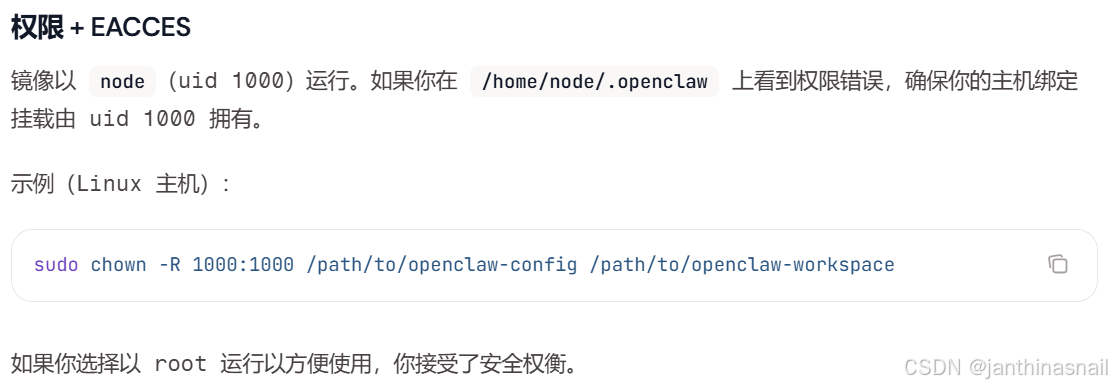
创建目录并添加权限:- 详见:
- https://docs.openclaw.ai/zh-CN/install/docker#权限-+-eacces
- https://github.com/openclaw/openclaw/issues/21571
- https://github.com/openclaw/openclaw/issues/27336
- https://coclaw.com/troubleshooting/solutions/docker-eacces-openclaw-config-dir
- # 1、创建目录
- mkdir -p ./config/workspace
- # 2、添加配置
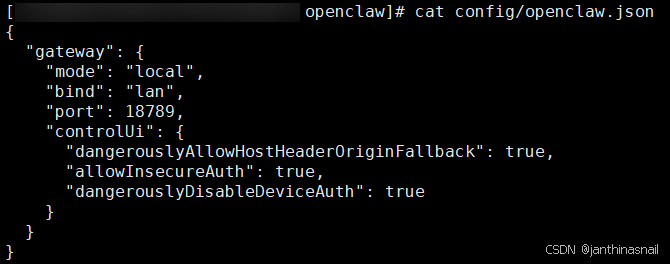
- cat << EOF > config/openclaw.json
- {
- "gateway": {
- "mode": "local",
- "bind": "lan",
- "port": 18789,
- "controlUi": {
- "dangerouslyAllowHostHeaderOriginFallback": true,
- "allowInsecureAuth": true,
- "dangerouslyDisableDeviceAuth": true
- }
- }
- }
- EOF
- # 3、修改组、添加权限
- chown -R 1000:1000 ./config
- #chmod -R 777 ./config
创建并启动容器:查看容器列表:停止并销毁容器:删除目录:删除镜像:- docker rmi ghcr.nju.edu.cn/openclaw/openclaw:latest
- 假设当前ip为192.168.186.128
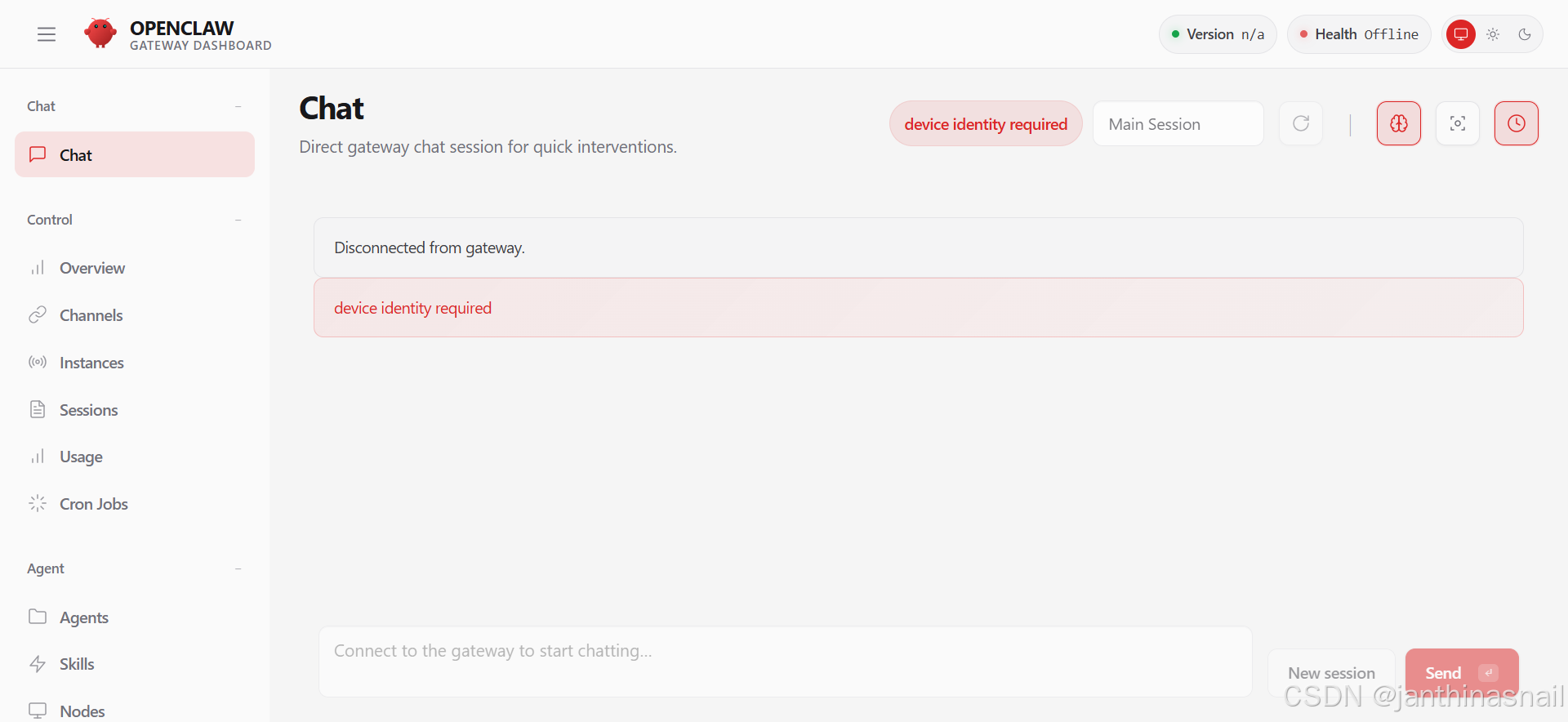
- 浏览器访问:http://192.168.186.128:18789
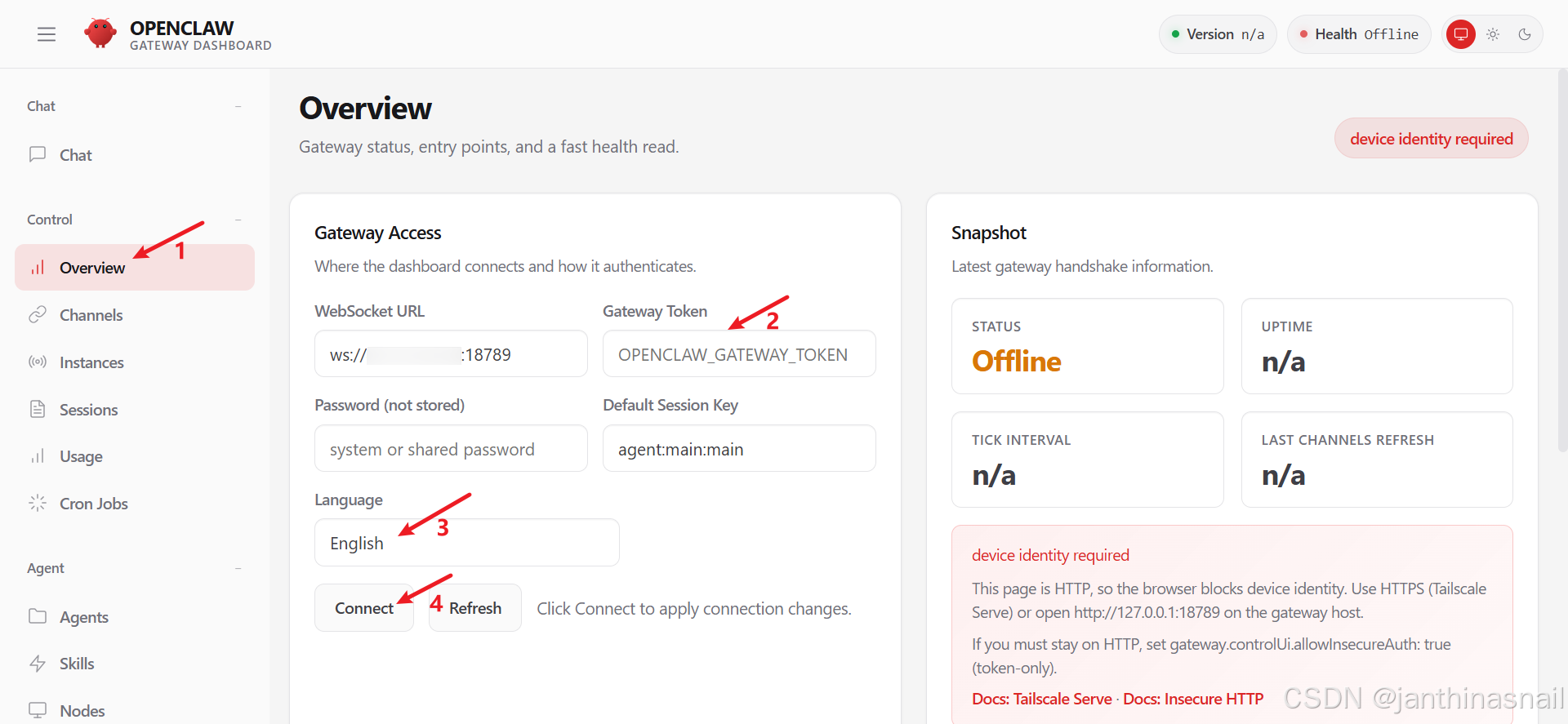
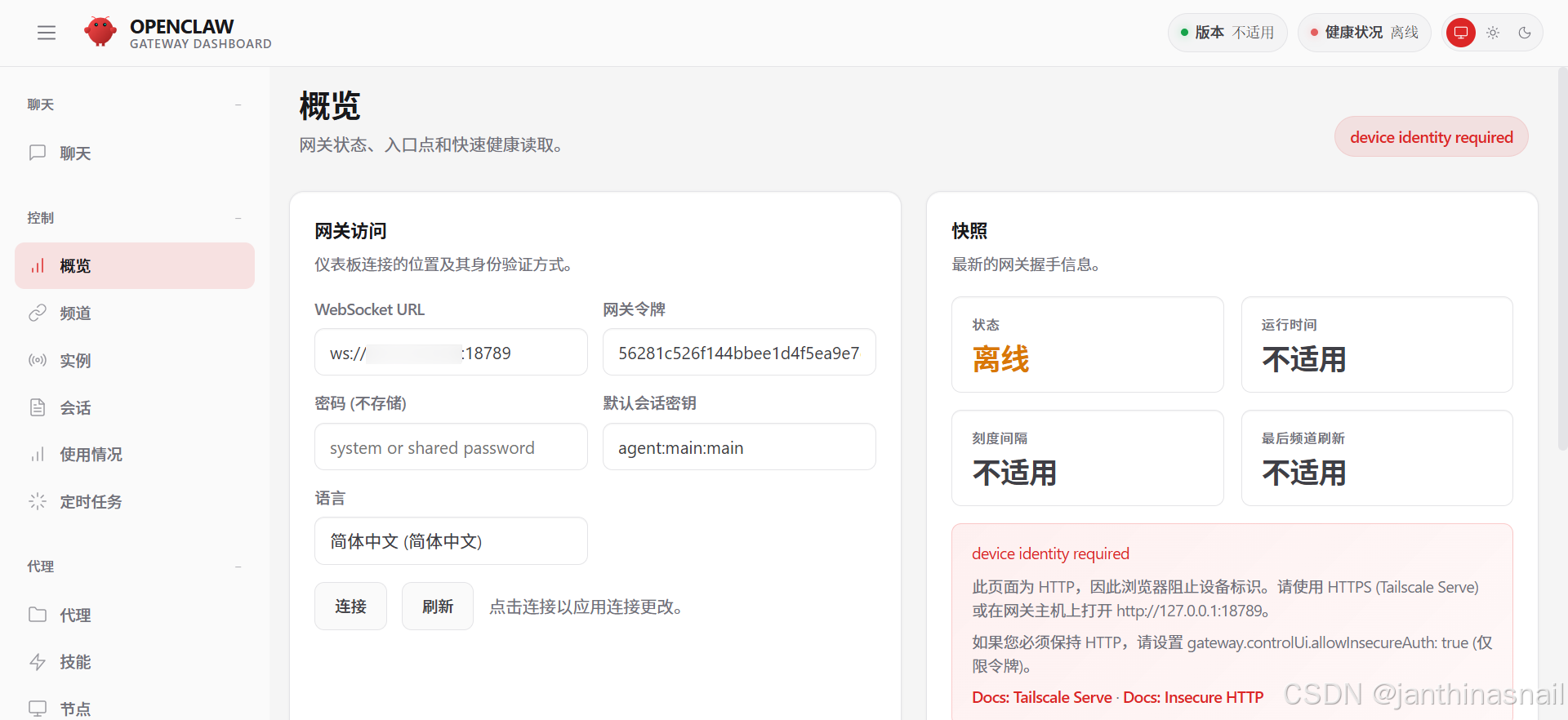
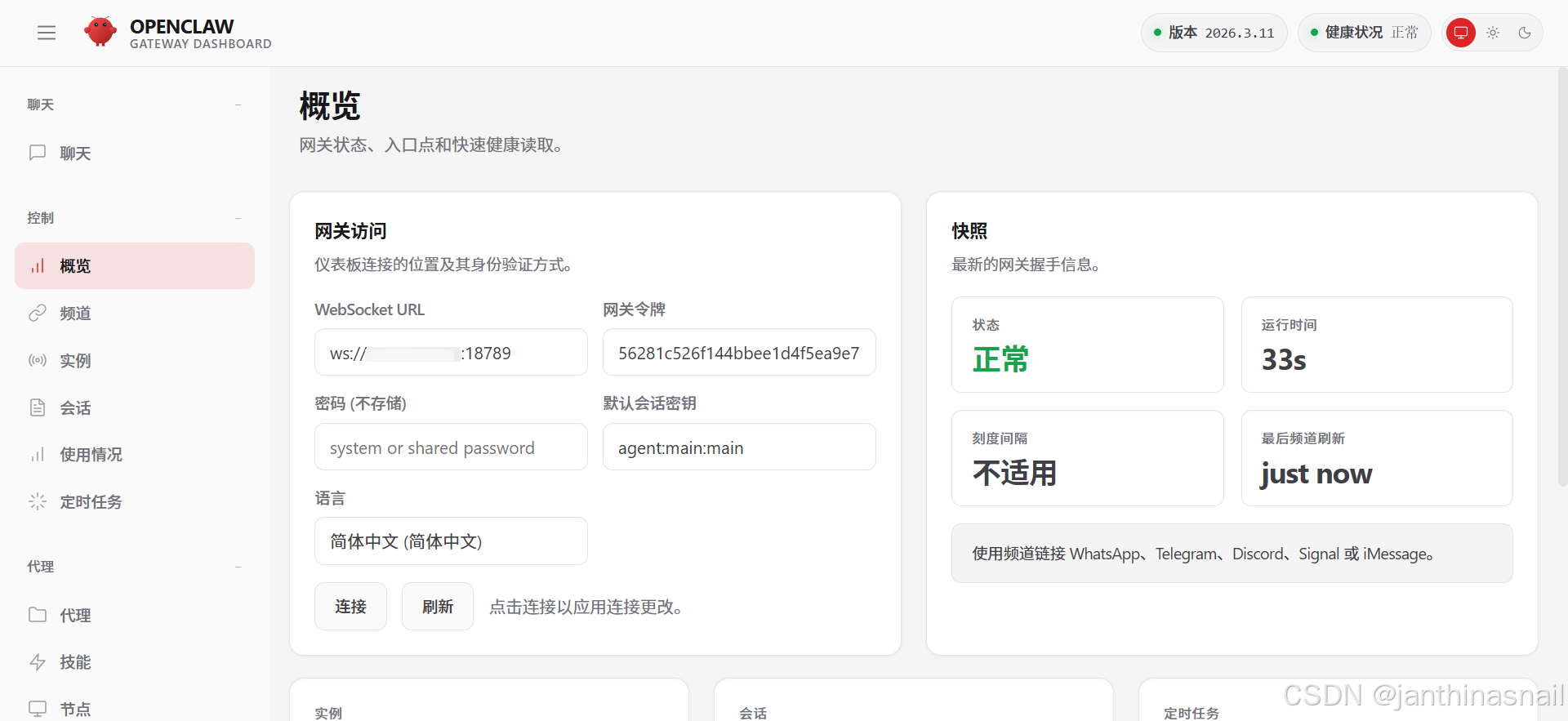
点击Overview/概览:
- 填写"Gateway Token" 或 "网关令牌"
- 选择"Language" 或 "语言"
4、模型提供商
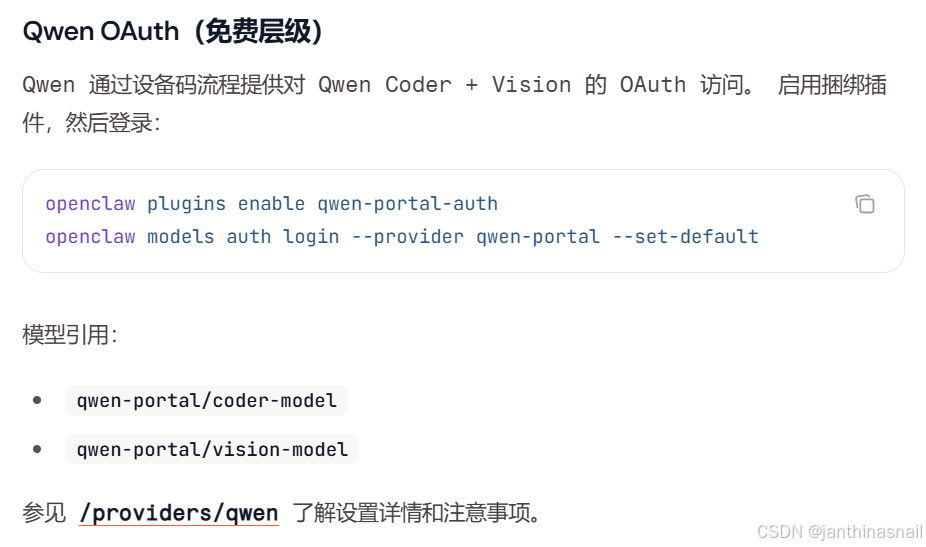
- 当前选用"Qwen"
- Qwen 为 Qwen Coder 和 Qwen Vision 模型提供免费层 OAuth 流程(每天 2,000 次请求,受 Qwen 速率限制约束)。
- 详见:
- # openclaw.ai
- https://docs.openclaw.ai/zh-CN/providers
- https://docs.openclaw.ai/zh-CN/concepts/model-providers#qwen-oauth(免费层级)
- https://docs.openclaw.ai/zh-CN/providers/qwen
- # qwen.ai
- https://qwen.ai
- https://qwen.ai/qwencode
- https://qwenlm.github.io/qwen-code-docs/zh/users/overview
查看容器列表:- docker ps --format "{{.ID}} {{.Image}} {{.Names}}"
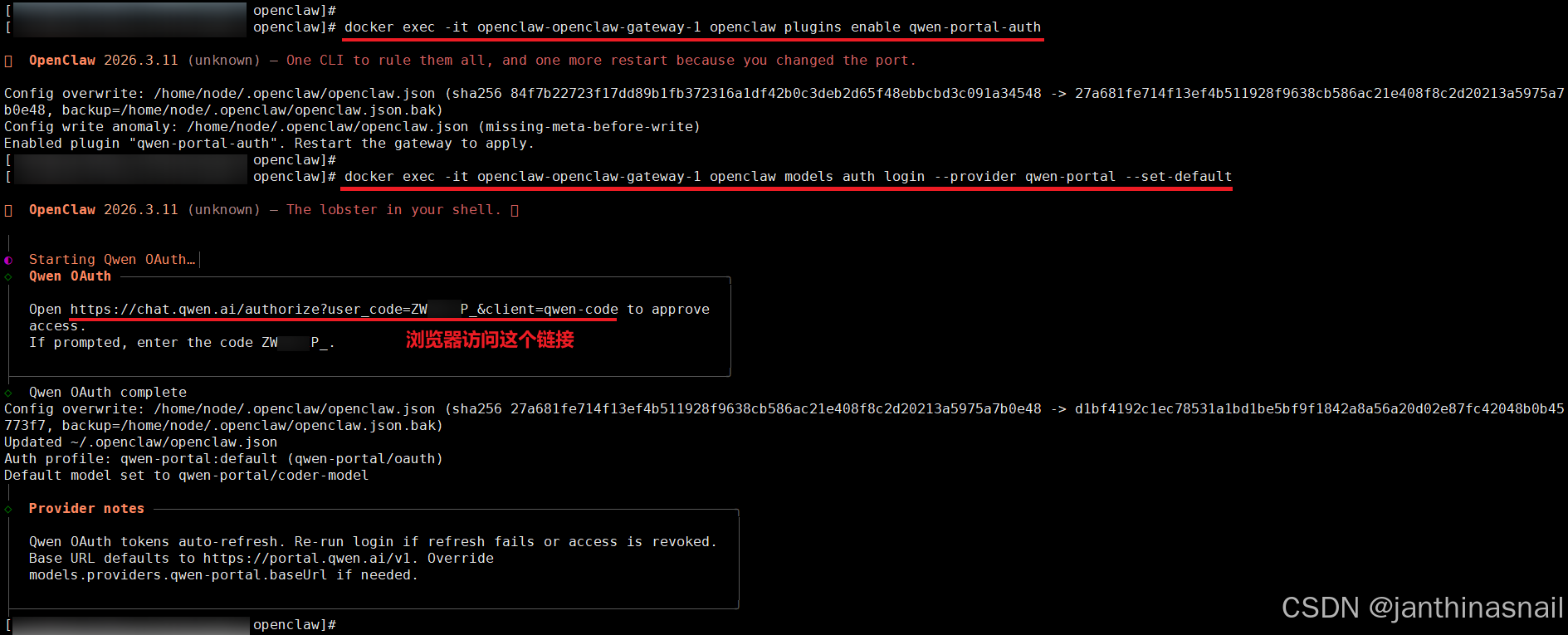
启用插件:- # 命令格式:docker exec -it 容器名称 命令
- docker exec -it openclaw-openclaw-gateway-1 openclaw plugins enable qwen-portal-auth
- # 命令格式:docker exec -it 容器名称 命令
- docker exec -it openclaw-openclaw-gateway-1 openclaw models auth login --provider qwen-portal --set-default
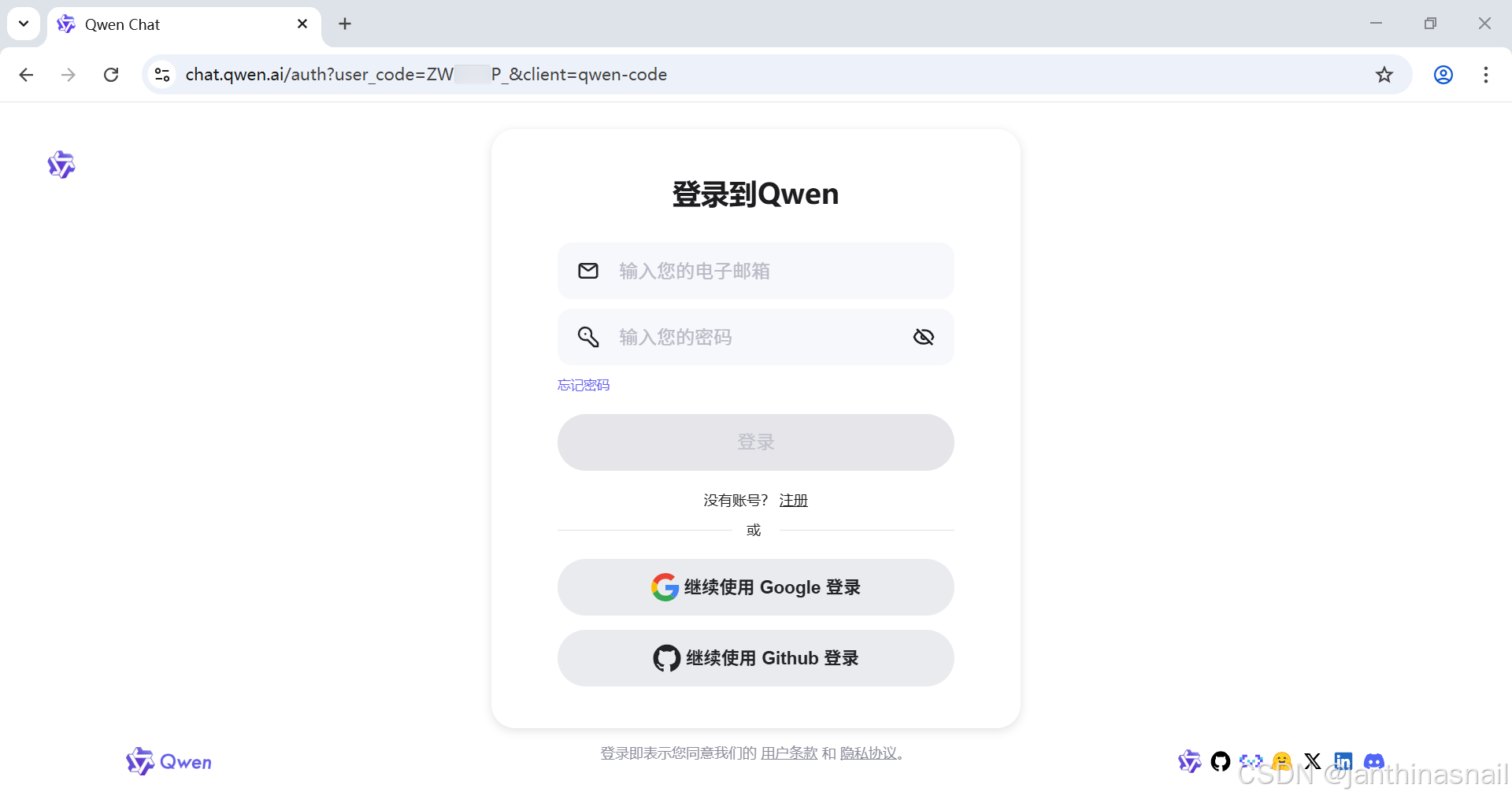
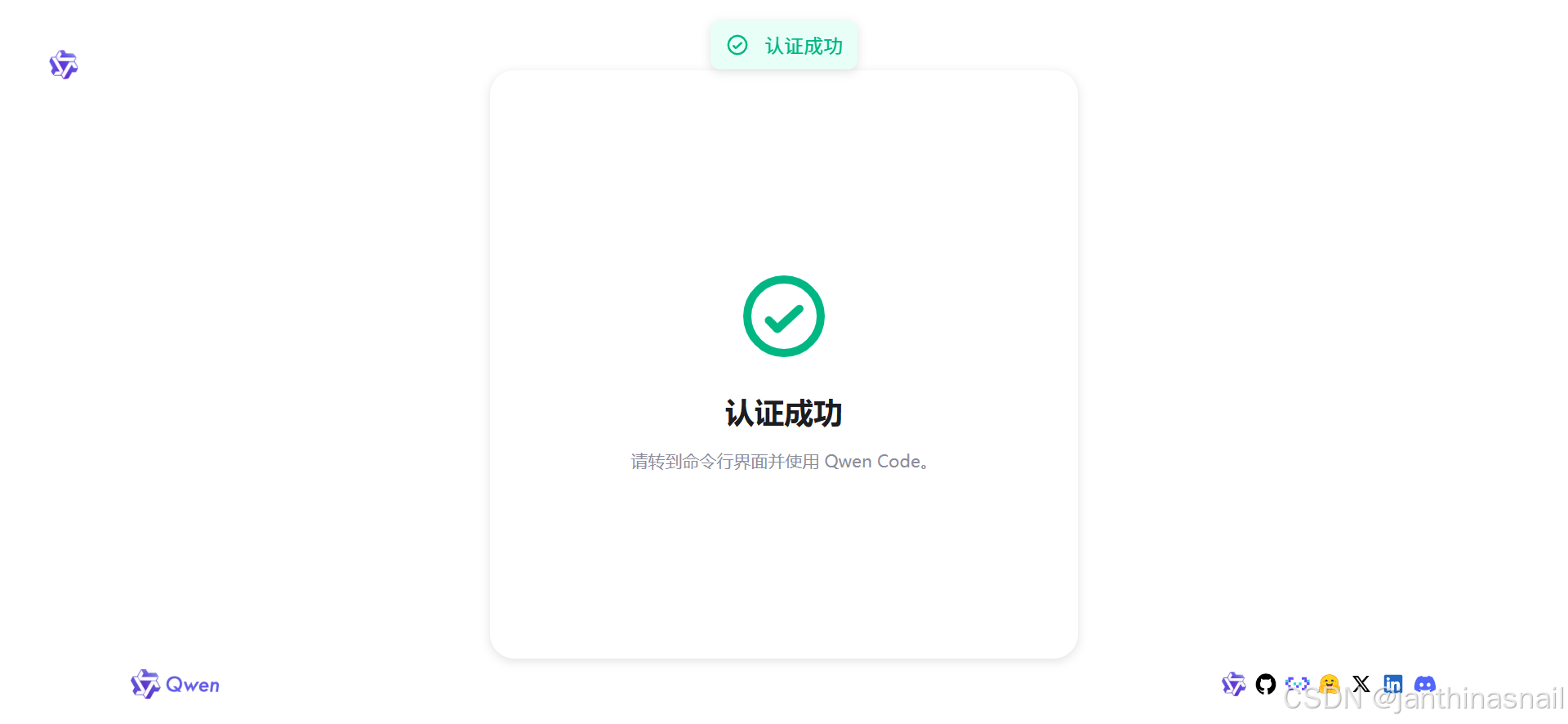
浏览器访问:
- 访问地址格式如下:
- https://chat.qwen.ai/authorize?user_code={USER_CODE}&client=qwen-code
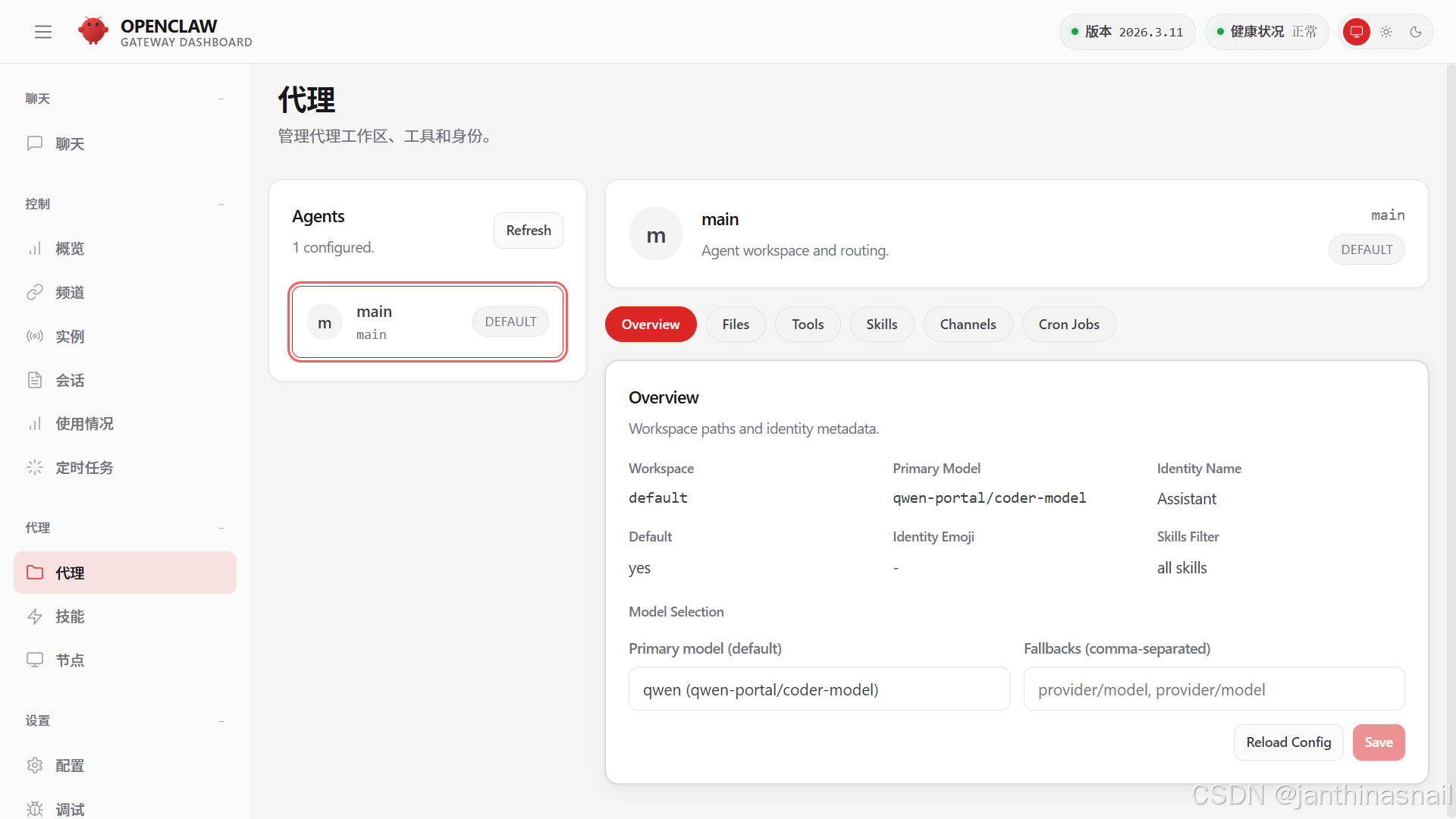
查看代理:
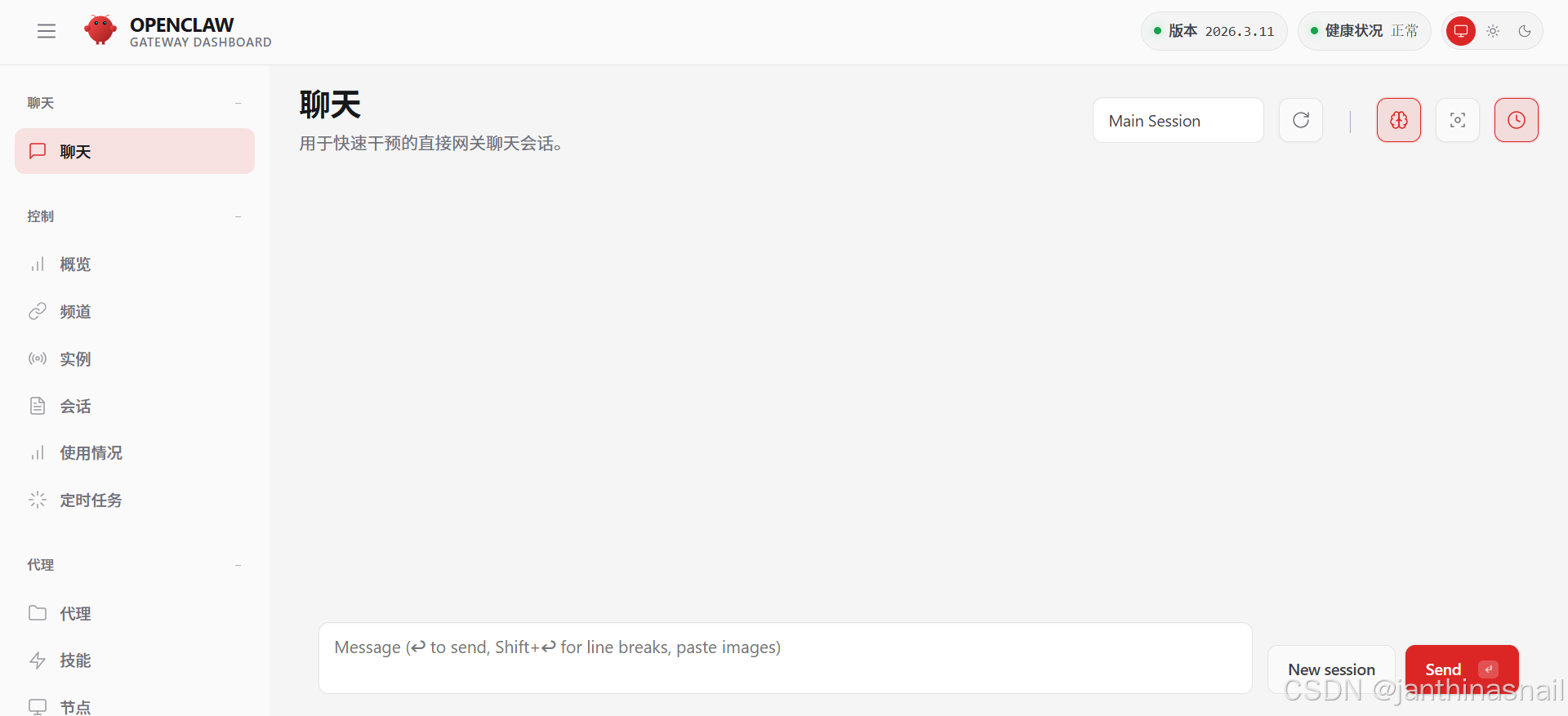
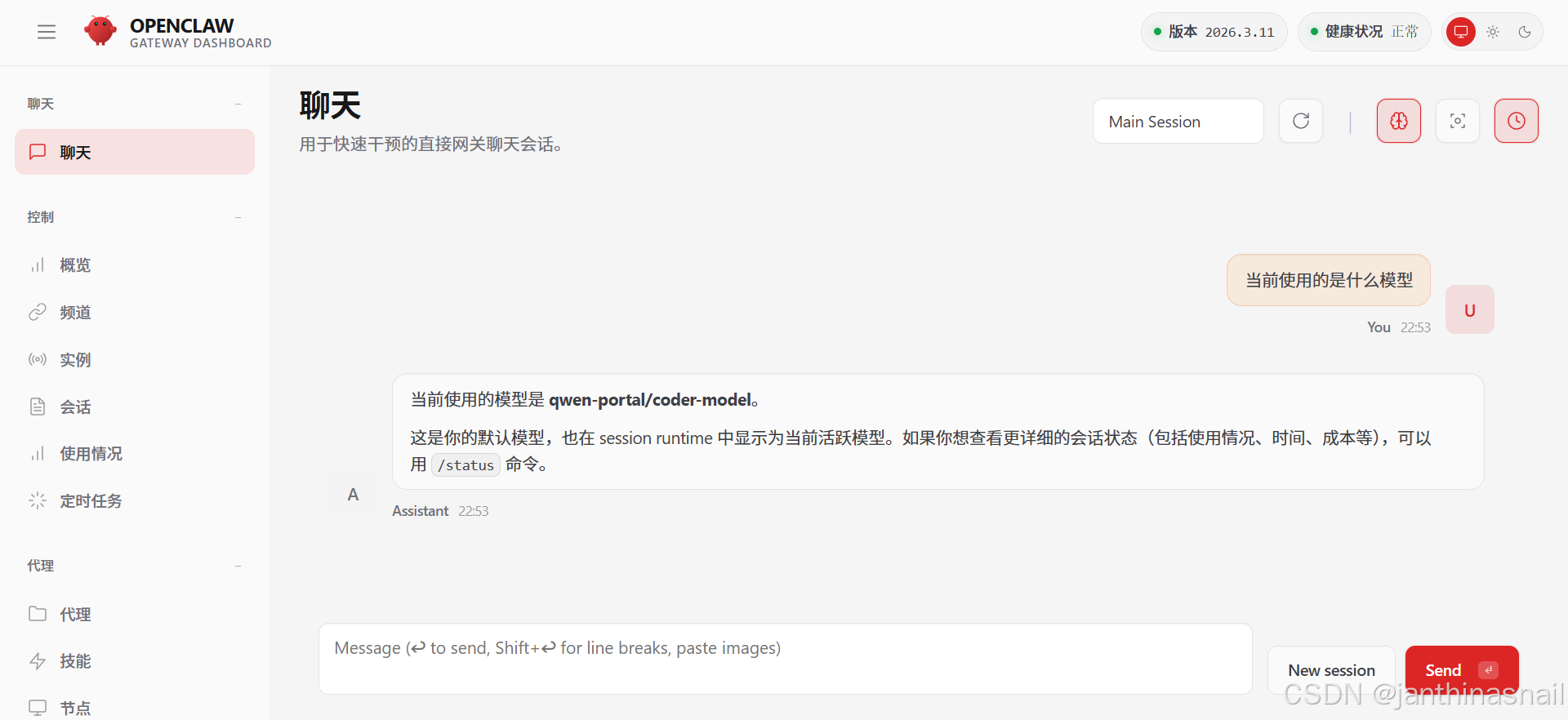
聊天:
5、详见
- https://openclaw.ai
- https://docs.openclaw.ai/getting-started
- https://docs.openclaw.ai/zh-CN
- https://github.com/openclaw/openclaw
- https://clawhub.ai
|












 广告
广告